What We’ll Cover
Managing a sales team — and all of the activity that goes with it — is anything but easy. Between entering leads, updating customer notes, keeping contacts organized, staying on top of sales targets, and keeping your pipeline full, there is a significant amount of data to track. Without the right technology in place, that workload becomes even harder to manage.
monday CRM is monday.com’s dedicated customer relationship management system, built to house all sales activity and customer data in one platform. Intuitive, fully customizable, and designed to integrate with the tools your team already uses — here’s a look at everything it offers.
The monday CRM workspace at a glance
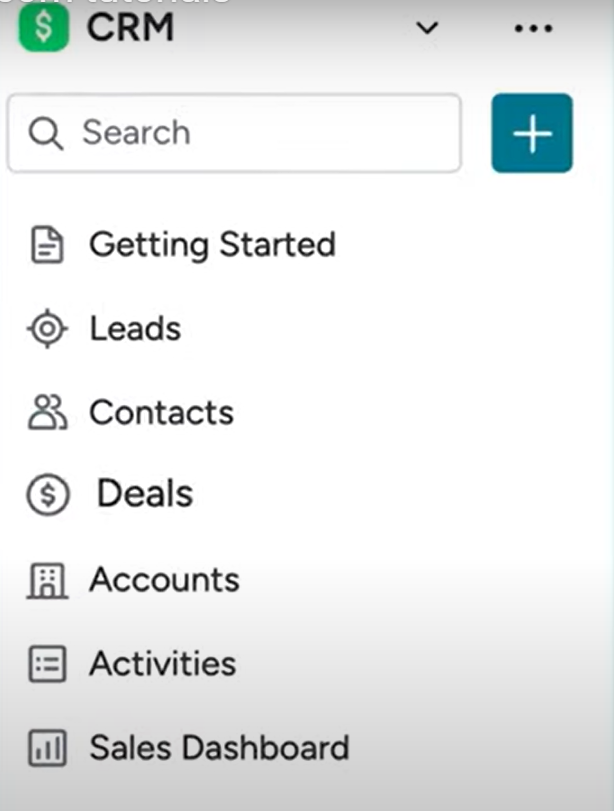
When you open monday CRM, you’re working within a workspace that includes all the key components you need to manage your sales operation: Leads, Contacts, Deals, Accounts, Activities, and the Sales Dashboard. Everything is connected, so data you enter in one board flows where it’s needed elsewhere.
Leads
The Leads board is where your pipeline starts. You can bring leads into monday CRM in several ways: manually, by importing from Excel or Google Sheets, through a connected form, or via integration with other tools. However your leads are generated, they land in one place.
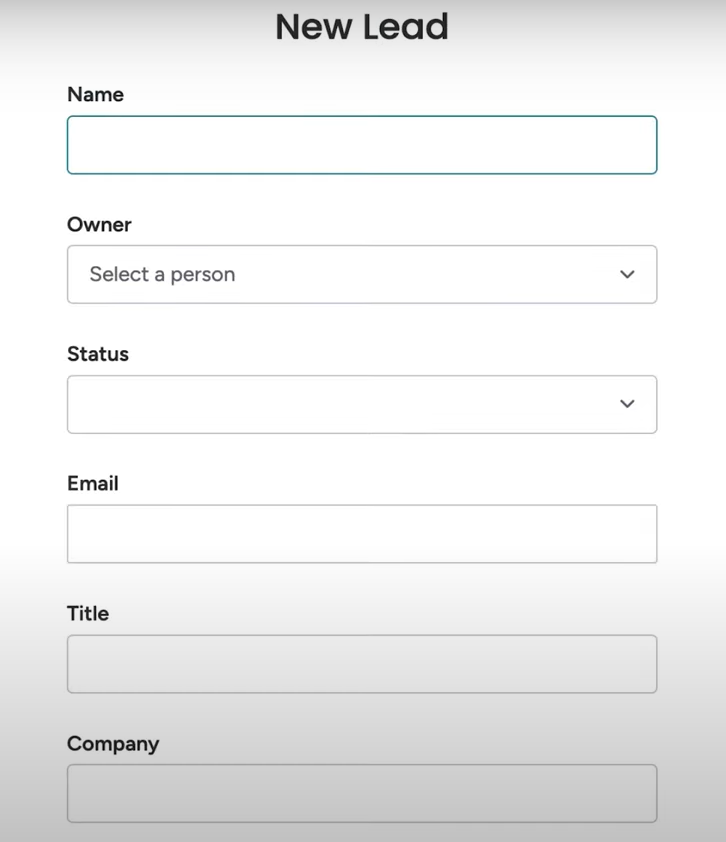
Admins can set up an item creation form directly within the Leads board, making it easy for anyone on the team to add new leads efficiently. You can set required fields and hide any information that isn’t relevant to the intake process.
As new leads are added, your team gets notified with the relevant details. Once a lead is in the system, you can start qualifying it — and when it’s ready, you can convert it to a Contact with a single button click. No manual data re-entry required.
Contacts
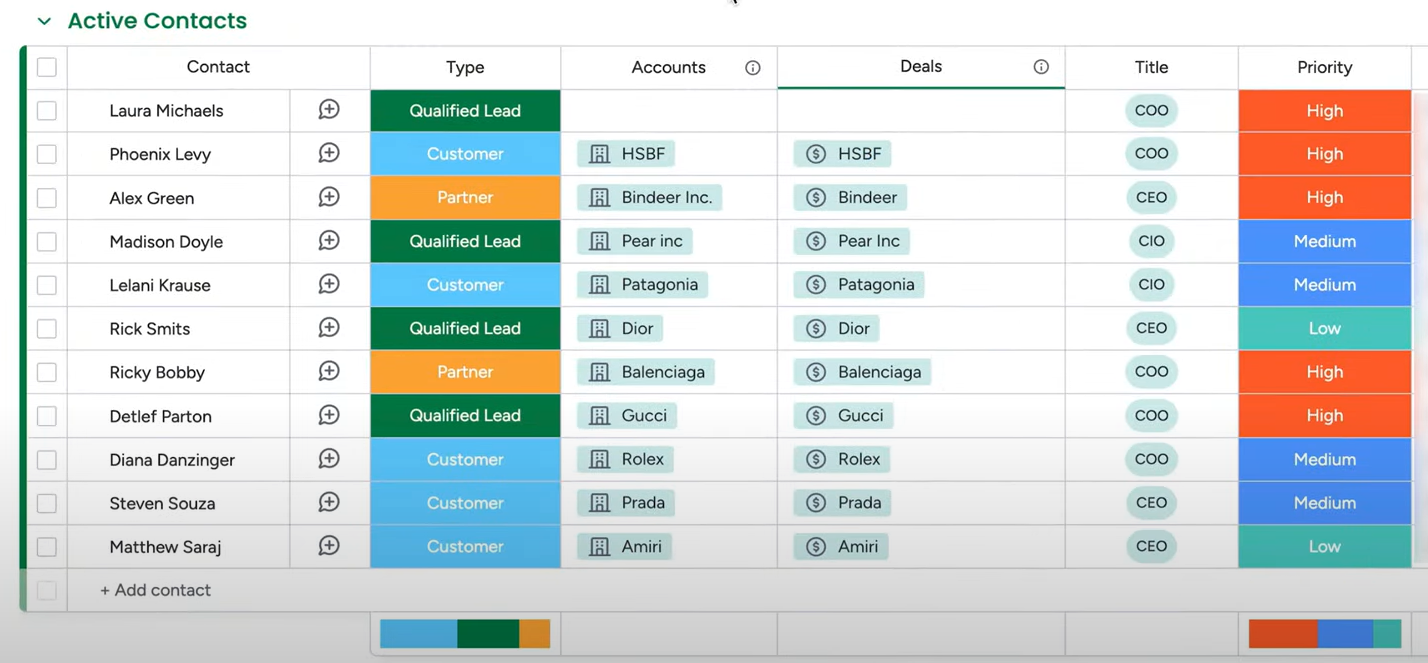
The Contacts board gives you a centralized view of all your contacts — and more importantly, it connects them. Every contact can be associated with the accounts and deals they’re related to. That association keeps key information in sync across boards so you’re not hunting for context when you need it.
Accounts
The Accounts board lets you track important details about each organization you work with — industry, description, key contacts, active deals, and anything else relevant to the relationship. In true monday.com fashion, every column is customizable: drag, reorder, rename, and configure to match how your team organizes account information.
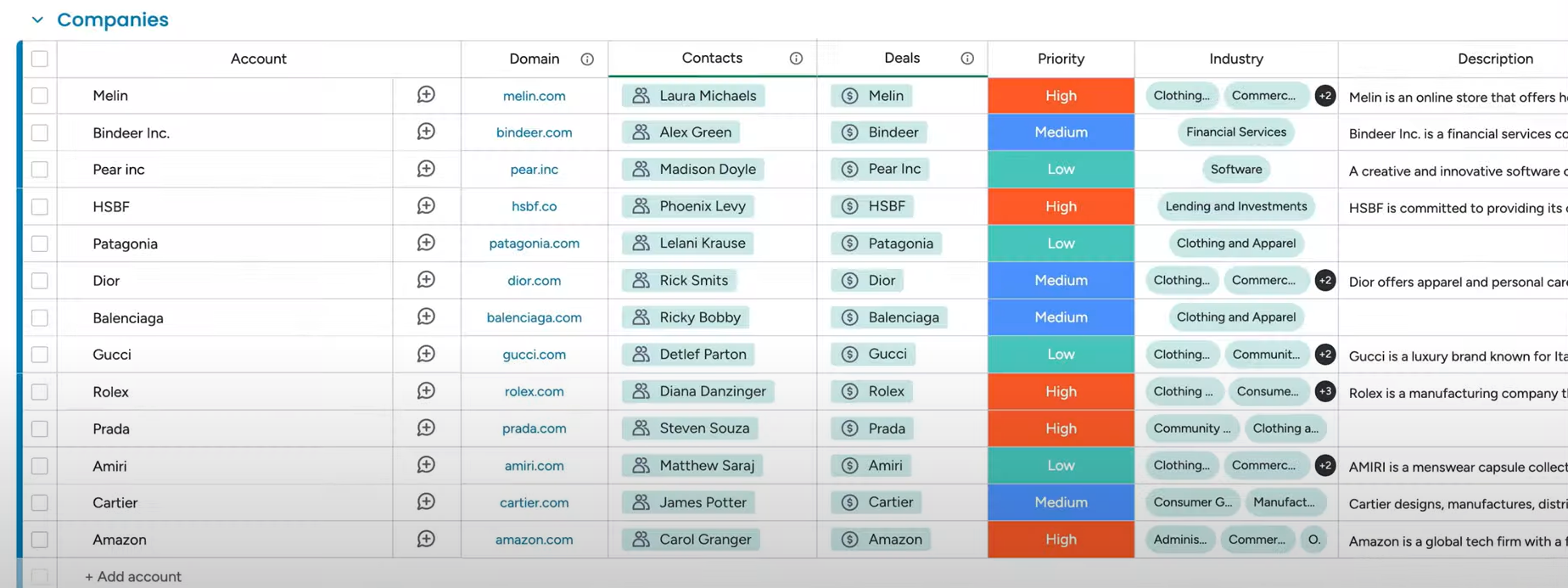
Click into any contact from the Accounts board and all related information surfaces immediately — no switching boards needed.
Deals
The Deals board is where your pipeline comes to life. monday CRM’s visual interface makes it easy to see at a glance exactly where each deal stands. Everything can be renamed and tailored to reflect your business’s specific stage names and processes.
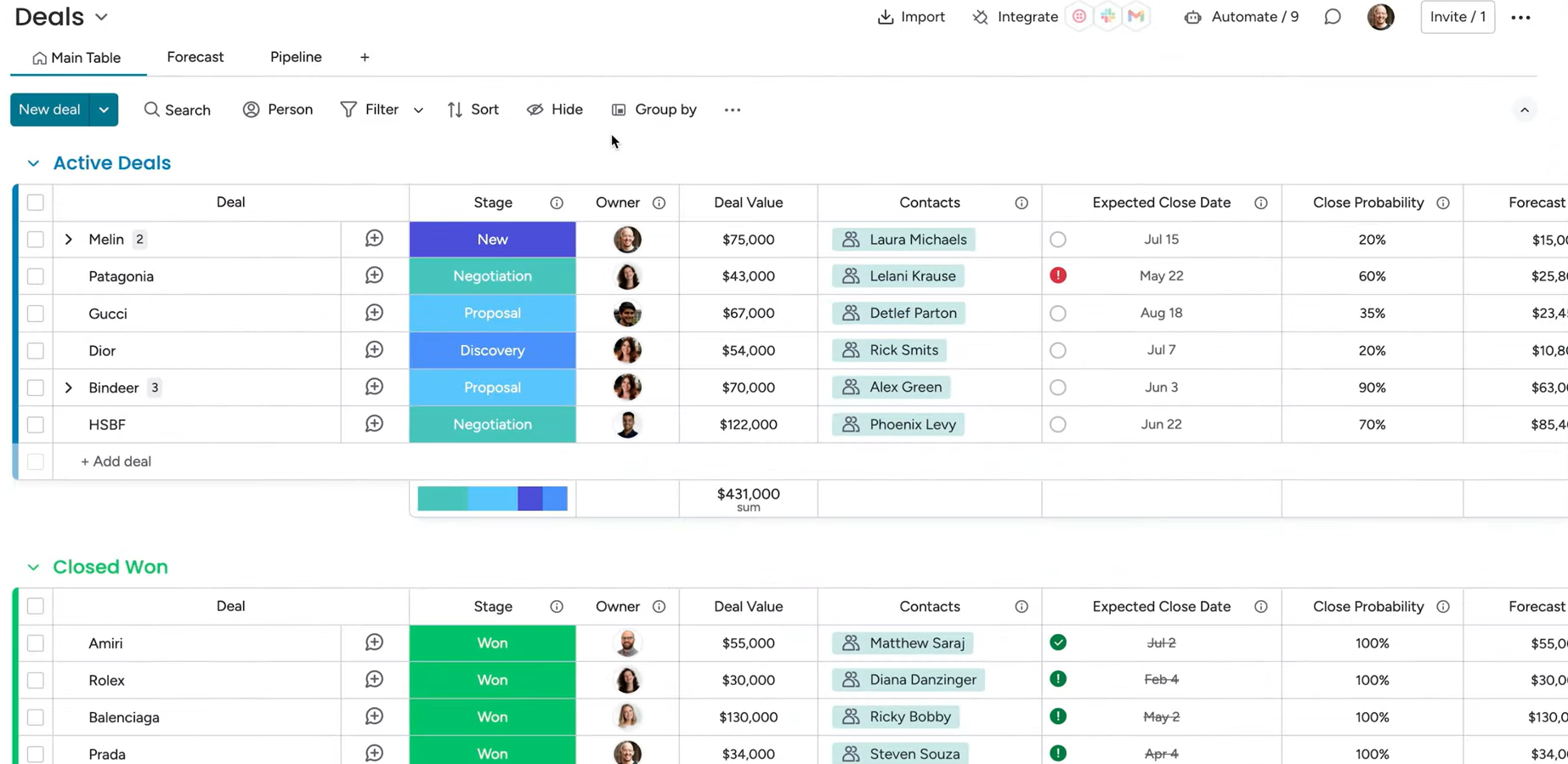
Beyond the main table view, you can manage deals through a visual pipeline view and use the deal data to forecast future revenue in a chart view. And when it’s time to formalize an opportunity, Deals integrates with Quotes and Invoices so you can keep the full financial picture in one place alongside your pipeline.
Integrations: your one-stop shop for sales
The real power of monday CRM extends beyond its built-in boards — it’s the integrations. Connect the tools your sales team already relies on and bring everything into a single unified workspace.
- Twilio — Call contacts directly from monday CRM without switching to a separate phone tool
- Zoom — Connect your Zoom account to create and join meetings directly from the CRM. When you have a Zoom call with a lead, it automatically appears in your activity timeline with a link to the recording
- Plus countless other integrations covering email, marketing, support, billing, and more
When everything — calls, emails, meetings, deal history — lives in monday CRM, your team has the full context of every customer relationship in one place. That’s what turns a CRM from a data management tool into a genuine competitive advantage for your sales team.
Ready to start exploring monday CRM? OrangeDot can help you set it up, customize it for your sales process, and make sure your team is ready to use it from day one.
Schedule a Free Consultation →